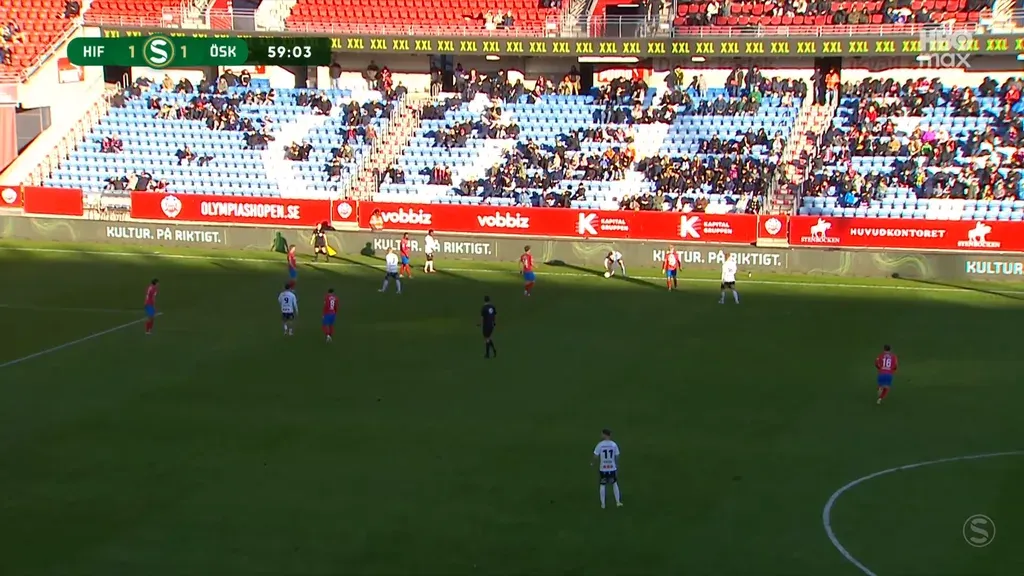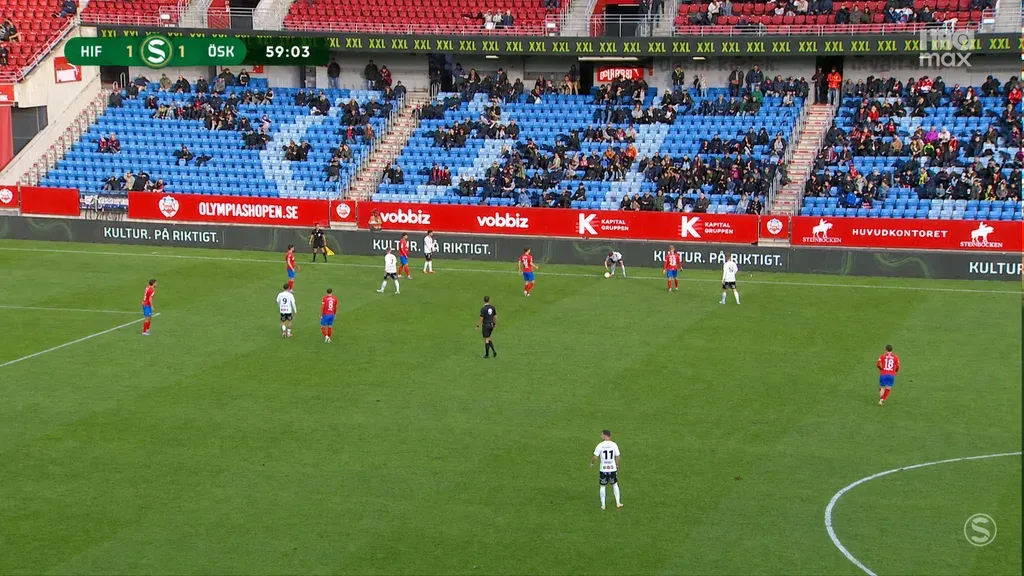
LivePictureAI is real-time AI that balances bright sunlight and deep shadows in live outdoor sports broadcasts, from live football to rugby, cricket, tennis and golf. This page is about one thing: what the corrected picture looks like. The aim is simple to state. A viewer should see a match that looks perfectly lit, and should not be able to tell that anything was done to it.
Non-generative AI: nothing is added or invented, and no artifacts. LivePictureAI only rebalances the light in what the camera actually captured.
Well lit, not over-processed
Anyone who has seen an aggressive HDR photo knows the look we avoid: flat, glowing, oddly detailed, more like a video game than a broadcast. Pushing shadows up and highlights down is easy. Doing it so the picture still looks like a real stadium on a real afternoon is the hard part, and it is the part that matters to a broadcaster.
What that means in practice:
- No tone-mapped HDR look. The picture keeps its depth and contrast; the sunlit side still reads as sunlit.
- No plastic or oversaturated look. Skin, grass and kits are not boosted or smoothed into something they were not.
- No halos. No glowing edges around players, the ball or the line where a stand's shadow falls across the pitch.
- No flicker. The correction changes smoothly from frame to frame on a moving feed.
Nothing generated, nothing invented
LivePictureAI does not paint in an even light that was never there. It works on the tonal information the camera recorded and rebalances sunlit and shaded regions frame by frame, so both stay readable at the same time. That is also its honest limit: detail that was clipped to white or crushed to black was never captured, and it is not made up. For a live sports picture, that is the point. What the viewer sees happened.
The colors stay true
Balancing light is not the same as grading. LivePictureAI keeps the colors of the original production: natural skin tones, grass that looks like grass and kits that match the club's colors. Any creative grade stays with your team.
You decide how strong it is
A picture with no shadow at all would look as artificial as one with too much. So the strength of the correction is in the operator's hands: they choose how much shadow to keep and how much to lift. That lets the result match your house look, keep the character of a sunny afternoon and stay true to life.
Live, at broadcast timing
All of this happens on the live feed: 5 to 10 ms of processing per frame depending on resolution, and at most 100 ms end-to-end including I/O and buffering. It runs on the camera feeds before the vision mixer or on the program output, with SDI, NDI, SMPTE ST 2110 and RTSP. See broadcast integration for how it fits your chain.
Judge it on your own footage
Drag the slider below to compare an original frame with the corrected one, and see more frames in the before and after examples. The most convincing test, though, is your own material. Send us a clip or book a demo and judge for yourself whether it looks natural.