Supported I/O
- SDIThe backbone of many outside broadcasts.
- NDIIP video over standard networks.
- SMPTE ST 2110Uncompressed IP for broadcast plants.
- RTSPStreamed sources and contribution feeds.
- Up to 4K60
- No genlock required
- GPU, on-premises or cloud
Specifications
All the hard specs in one place.
- Resolution and frame rate
- Up to 4K60 (2160p60), as well as 1080p60
- Latency, processing
- Under 5 ms per frame at 1080p60; maximum 10 ms per frame at 4K60
- Latency, end-to-end
- Maximum 100 ms, including I/O and buffering
- Signal formats
- SDI, NDI, SMPTE ST 2110, RTSP and file-based streams
- Genlock
- No genlock required
- Placement
- On each camera feed before the vision mixer, or on the program output
- Compute
- GPU infrastructure, on-premises or in the cloud; GPU requirements depend on resolution
- GPU, 4K60
- A single 4K60 feed runs on one NVIDIA GeForce RTX 5080 (a consumer graphics card)
- GPU, 1080p
- One NVIDIA RTX PRO 6000 Blackwell handles 8 to 12 simultaneous 1080p feeds, depending on configuration
- Cameras and infrastructure
- Keep your existing cameras, lenses and vision mixer
- Picture
- Non-generative AI: nothing is added or invented, and no artifacts
- Correction strength
- Set by the operator: how much shadow to keep or lift
- Availability
- Introduced at IBC 2026; being validated with selected partners ahead of commercial deployment
No genlock required
LivePictureAI connects over the transport you already run: SDI, NDI, SMPTE ST 2110 or RTSP. No genlock required.
Two placements in the chain
LivePictureAI supports two setups, and the right one depends on the size of the production.
Large productions
Smaller productions
Before the vision mixer, the processing works on each camera feed, so the director cuts with pictures that have already been balanced. This suits large productions and needs more compute, a GPU per feed. After the vision mixer, it works on the program output, so there is one stream to process. This suits smaller productions.
On-premises or in the cloud
Processing runs on GPU infrastructure. That can be on-premises, at the edge close to the cameras, in the OB truck or in the production hub, or it can run in the cloud. We cover the truck case in low-latency AI in the OB truck.
GPU requirements depend on resolution. A single 4K60 feed runs on one NVIDIA GeForce RTX 5080. One NVIDIA RTX PRO 6000 Blackwell handles 8 to 12 simultaneous 1080p feeds, depending on configuration. For 4K60, a consumer graphics card is enough.
Latency
Under 5 ms of processing per frame at 1080p60 and at most 10 ms at 4K60, both within a single frame at 60 fps, and at most 100 ms end-to-end including I/O and buffering, built to keep pace with live broadcast timing. How that fits your overall latency budget depends on the rest of your chain, and we work it through with you as part of an evaluation.
- Processing per frame, 1080p60under 5 ms
- Processing per frame, 4K60max 10 ms
- One frame at 60 fps16.7 ms
- End-to-end, incl. I/O and bufferingmax 100 ms
Works with the equipment you have
Keep your existing cameras, lenses and vision mixer. LivePictureAI adds a lighting-correction layer to the chain rather than replacing any part of it, and hands the next stage an already-corrected signal.
What it does to the picture
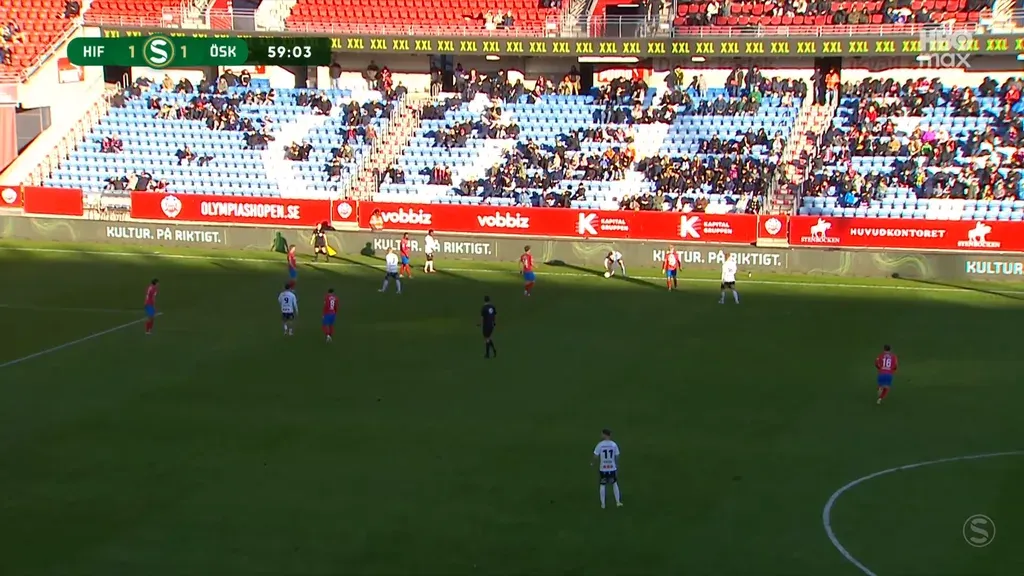
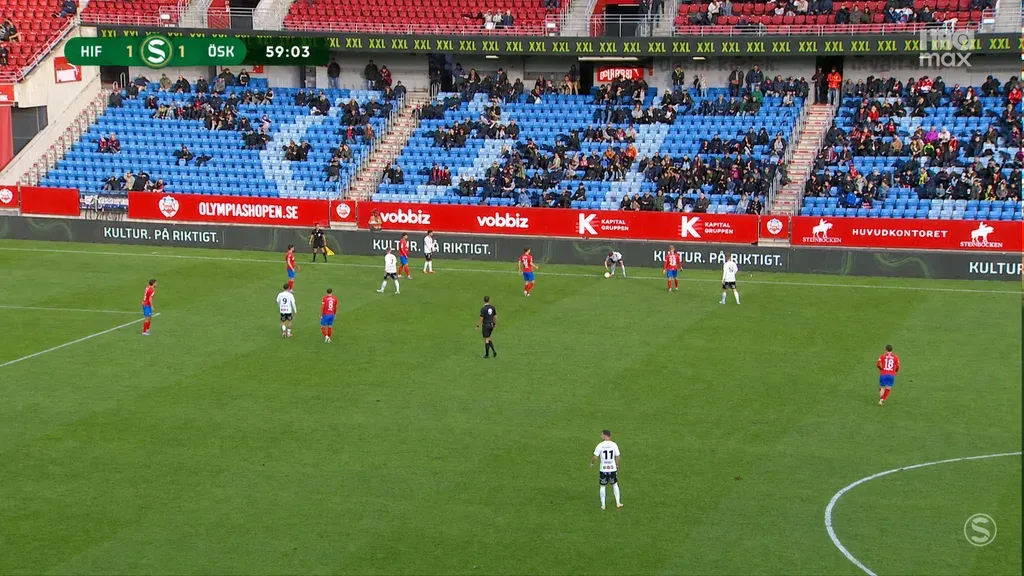
Non-generative AI: nothing is added or invented, and no artifacts. It rebalances the light in what the camera captured, from live football to other outdoor sports. See the natural look for what the corrected picture looks like, and compare real frames in the before and after examples.
Related tools and guides
Running SMPTE ST 2110 or NMOS yourself? Analyze and generate streams with the 2110 Toolkit. For the business case and workflow, see for broadcasters & OB, and for NDI and SDI detail, see NDI and SDI integration. To balance the picture ahead of encoding, see pre-processing before distribution. To discuss your chain, just book a demo.