Test and troubleshoot ST 2110 with an ordinary PC and a 10/25GbE NIC
2110 Toolkit is a Windows app, not a course and not the standard. It receives, analyzes and generates SMPTE ST 2110 streams. When something breaks, it names the most likely root cause.
Personal $49€45495 kr, Team $199€1791 995 kr a month. No card needed for the trial.
- ST 2110-20, -30, -31 and -40
- ST 2022-7 redundancy
- Blackmagic IP10
- PTP: ST 2059-2 and AES67
- NMOS IS-04 and IS-05
- Up to 4K on one 10/25 GbE card
- Intel X550 (10 GbE), NVIDIA ConnectX-6 Dx (25 GbE)
- Windows 10/11
One PC and a 10/25 GbE card instead of a rack
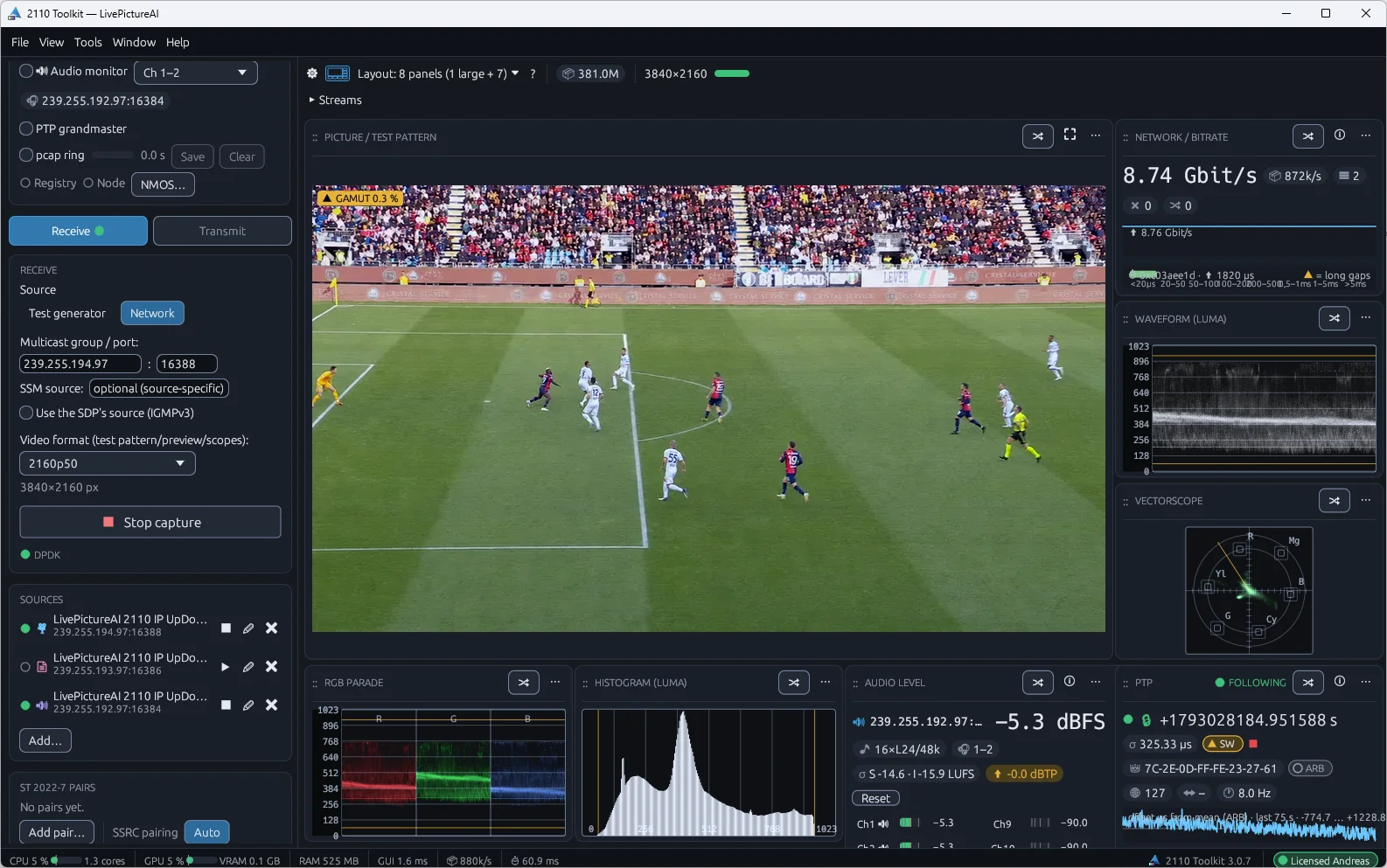
Checking an ST 2110 and NMOS install usually takes a waveform monitor, a protocol analyzer, a PTP grandmaster and an NMOS controller, each in its own box. When something breaks, you still have to work out which number matters. 2110 Toolkit puts all of it, plus a signal generator, in one Windows app. Install it on a laptop, plug in a NIC, and see picture, audio, network and timing. When something is off, the diagnosis tells you where to look first.
Analyze and generate, in the same app
Analyze: receive and inspect
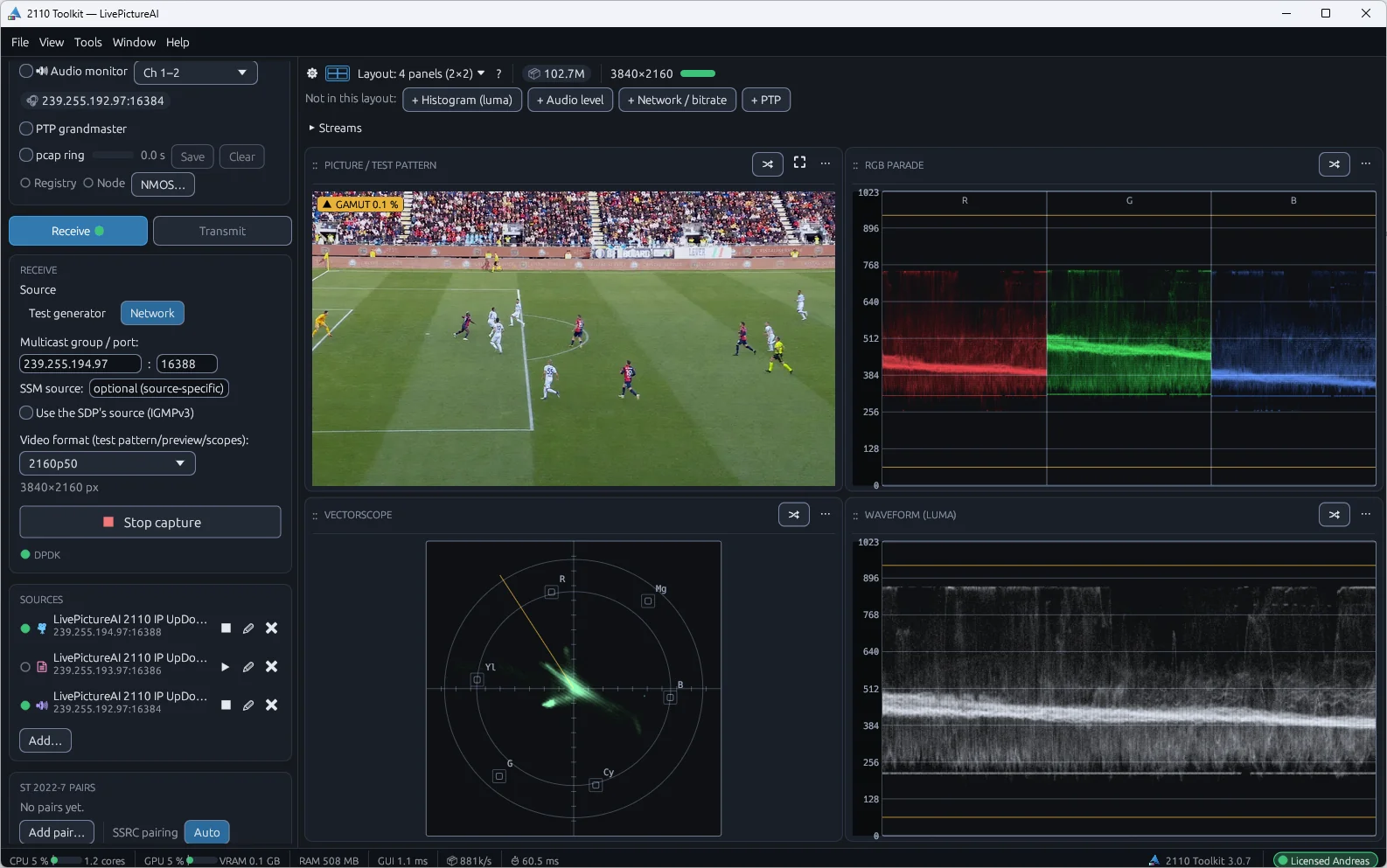
- Video, audio and ANC for ST 2110-20, -30 and -40. Up to 4K via DPDK on an Intel X550 (10 GbE) or NVIDIA ConnectX-6 Dx (25 GbE). 1080p on a standard Windows NIC
- Blackmagic IP10 for 4K over 10 GbE
- Full-resolution picture on the GPU. Waveform, vectorscope, RGB parade, histogram and a 10-bit pixel inspector
- Freeze, black and gamut alerts catch a stuck or clipped source
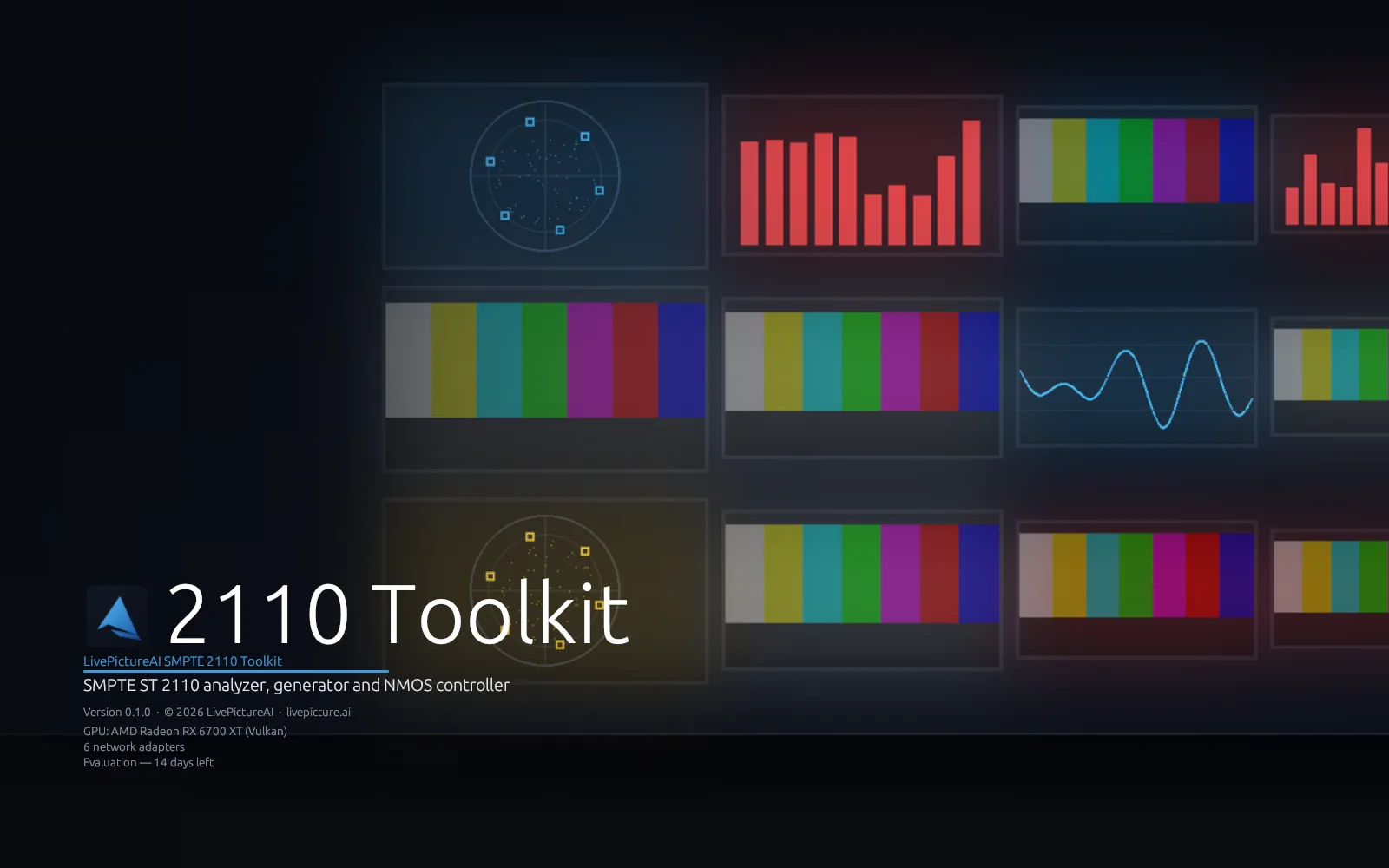
- Multiviewer: up to 36 streams, named from NMOS, with alarm borders and audio meters
- Audio levels for every stream. EBU R128 loudness, true peak, correlation and Lissajous
- Timecode, captions (CEA-608/708 and OP-47), AFD, SCTE-104 and VPID, live from the ANC
- Bitrate, loss, reordering, packet-interval histograms, ST 2110-21 timing and NIC drops per stream
- An in-memory pcap ring that opens in Wireshark, plus recording on alarm
Generate: send a reference
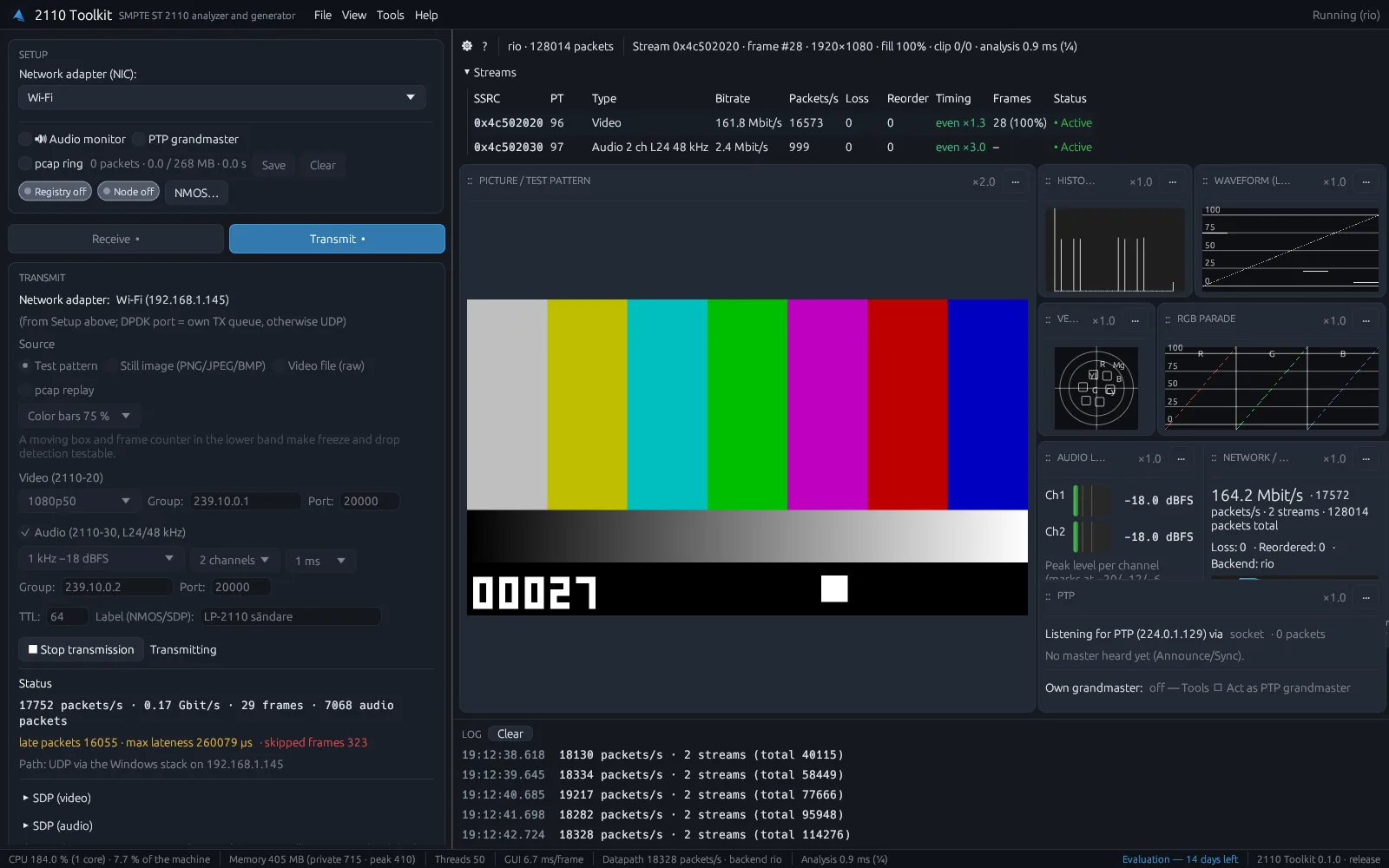
- Test pattern, still image (PNG, JPEG or BMP), mp4 file (H.264 or H.265), raw video file or pcap replay
- ST 2110-20 video in 720p, 1080p or 2160p at 25 to 60 Hz, with gapped pacing
- ST 2110-30 test tone, 1 to 16 channels, PTP-aligned to your reference
- Blackmagic IP10 as a test source
- Moving box and frame counter to test a receiver's freeze and drop detection
- Flash and beep to measure lip sync through a mixer, encoder or multiviewer
- SDP generated for you. The sender shows up in NMOS for any controller
The app tells you what's wrong
Most analyzers show hundreds of measurements and leave the conclusion to you. 2110 Toolkit checks the whole chain and tells you what is most likely wrong, why, and what to do.
The diagnosis checks the network card, multicast, PTP, NMOS, the stream description (SDP), loss and timing, and the picture itself. The root cause comes first. If the network card drops packets, that sits on top, with the loss and broken frames it causes below. Every finding has a plain-English explanation, the measurements behind it and suggested fixes.
Start it from an alarm, a stream or an NMOS receiver. Save the result as a report for a support ticket.
What's sent, not what's claimed
The app compares the sender's SDP with what arrives: resolution, frame rate, interlaced or progressive, channel count, channel order and packet time. SDP says 1080p50, the wire carries 1080i50? You see it at once.
Frame rate, resolution, black and freeze are measured on every video stream, not only the one you watch.
NMOS that matches reality
The app reads the NMOS registry and checks it against the network. It flags a sender that is off, a receiver tied to a sender that no longer exists, and a receiver on a different group than its sender.
Active tests
When measuring is not enough, the app tests, but only after you click. It sends a test stream through the network and checks it comes back. It rejoins a group and times the first packet. It compares loss with other streams from the same switch. It lists every PTP master it hears.
So you know if the fault is in the network, the source or the receiver.
For engineers who build and run ST 2110 networks
Commissioning and acceptance
Check a new ST 2110 and NMOS install before it goes live. Picture, audio, timing and PTP on every stream, from one laptop.
Support and troubleshooting
Find out if a fault is in the network, the source or the receiver. Attach the diagnosis report to the support ticket.
Testing a device on its own
Send a known-good reference stream with its SDP and NMOS sender. Test a receiver or downstream device in isolation.
Permanent monitoring (Team)
A measurement point in a rack or OB van, with a REST API and alarms to syslog, webhooks and SNMP.
What it is, and what it isn't
2110 Toolkit is software for Windows 10/11. It is not a training course and does not include the SMPTE documents. It is a diagnostic and generation tool, not a certified conformance suite. Personal is $49 a month, Team $199 a month. Every plan starts with a 14-day trial, no card needed.
Questions engineers ask
Is this a course or the ST 2110 standard itself?
What hardware do I need?
Is it ready for production use?
What's the difference between Personal and Team?
How do I get it, and what does it cost?
What platforms and languages are supported?
Does the app send any data to LivePictureAI?
The full picture
This page covers one part of the 2110 Toolkit. The main page shows every part and compares the plans.
Try it on your own network
LivePictureAI SMPTE 2110 Toolkit is available today. Monthly subscription, cancel any time. Not sure it fits your network? Start a 14-day trial. Your key arrives by email straight away, no card required.
Personal
One engineer, two computers.
plus VAT where applicable
- Full analyzer: picture, scopes, audio, captions and network
- Diagnosis that puts the root cause first
- ST 2022-7, ST 2110-21 timing and lip sync
- Multiviewer with 4 tiles, recording on alarm and HTML reports
- AI analysis, 100 questions a month, and a read-only MCP server
- PTP monitor, grandmaster and NMOS controller
- Signal generator with mp4 playback, plus Blackmagic IP10
Team
Up to 5 users, 10 computers.
plus VAT where applicable
- Everything in Personal, for up to 5 users on 10 computers
- Multiviewer with up to 36 tiles
- Long-term recording to disk with file rotation
- Remote probes with REST API and alarms to syslog, webhooks and SNMP
- Priority email support
Enterprise
Larger teams and custom deployment.
- Volume seats across sites or facilities
- Deployment and onboarding support
- Direct line to the LivePictureAI team
Compare every feature, plan by plan
Request a trial and we email you the 14-day key and the download link. Enter the key on the download page to get the installer. Then activate it in the app.
Get in touch
Start a trial, ask a product question or request a feature. We follow up by email.